In an apartment, an indoor camera has to do two things well: keep you in the loop and respect your privacy. The best models make setup simple (phone app + stable Wi-Fi) and give you real privacy controls—so you’re not living with that “camera watching me” feeling.
Disclosure: Some links may be affiliate links. As an Amazon Associate I earn from qualifying purchases.
What I prioritize for apartments (privacy + low-drama setup)
- Privacy control you’ll actually use: privacy mode, camera/mic off toggle, schedules, and ideally a visible privacy indicator
- Easy setup: clear app pairing, stable connection (2.4GHz + 5GHz helps), simple sharing with family
- Smart alerts that don’t spam: person detection, motion zones, adjustable sensitivity
- Flexible placement: PTZ (pan/tilt) helps in small spaces; no-drill mounts are renter-friendly
- Storage options: local (SD) is nice for privacy; cloud can be convenient—read what’s included vs paid
1) Anona 4K UHD Indoor PTZ Camera (Dual-Band Wi-Fi 6, Auto-Tracking, Privacy Mode)
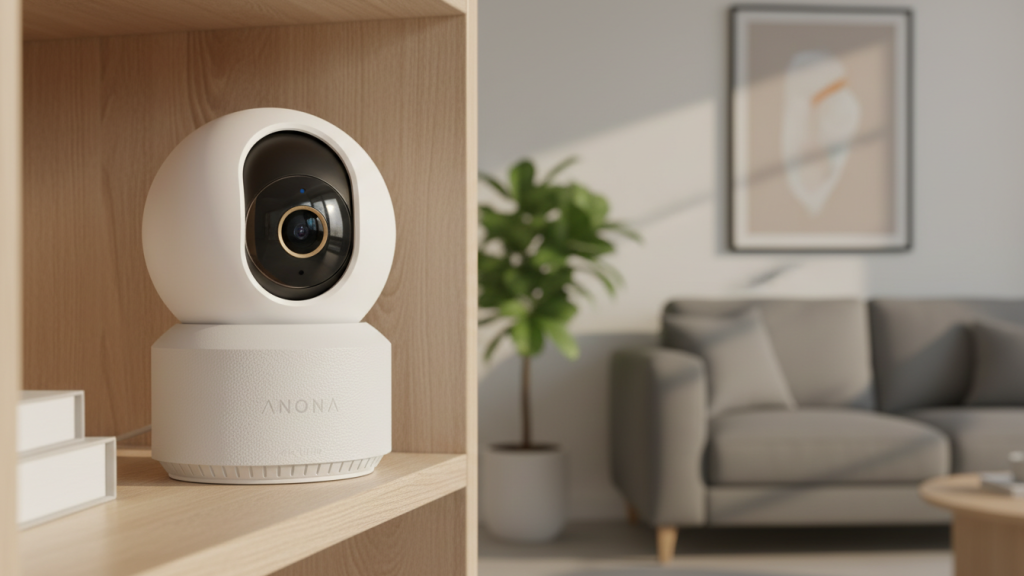
Why it’s good for apartments
This option leans heavily into clarity + coverage: 4K resolution paired with 360° pan/tilt can cover a studio or living area without needing multiple cameras in every corner. The big apartment win is privacy mode, which makes it easier to turn the camera “off” when you’re home.
Standout features (as listed)
- 4K UHD video
- 360° pan/tilt (PTZ)
- Dual-band Wi-Fi 6 (5G/2.4G)
- Auto-tracking
- Person/pet/baby crying detection + two-way audio
- Privacy mode
Pros
- Higher resolution can help with face detail and reading labels (within reason)
- PTZ coverage is great for small spaces
- Privacy mode helps you avoid “always-on” anxiety
Cons
- 4K streams can be heavier on Wi-Fi—weak routers may struggle
- Auto-tracking is useful, but it can also create extra motion events if sensitivity is too high
Best for: renters who want one camera to cover more area and want a clear privacy mode option.
2) 2K Wireless Battery Camera Set (Color Night Vision, Spotlight/Siren, SD/Cloud Storage)
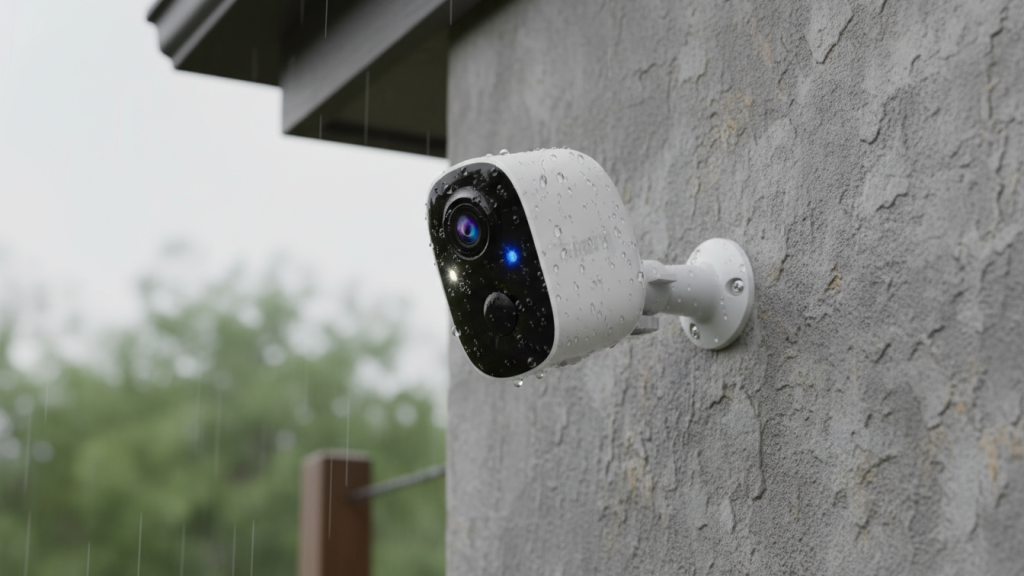
Why it’s here (apartment angle)
Even though this style is often marketed for outdoor use, it can still make sense for apartments if you want coverage of a balcony, patio, shared entry area (where allowed), or a doorway angle that’s tricky for a typical indoor plug-in cam. Battery power also helps renters avoid dealing with outlets.
Standout features (as listed)
- 2K video
- Battery-powered
- Color night vision
- Spotlight + siren
- AI motion detection
- SD / cloud storage options
- 2-pack
Pros
- Works where plug-in cameras are inconvenient
- Spotlight/siren can add deterrence in the right setting
- SD storage option can be a privacy win (if supported/configured)
Cons
- Battery cams can miss moments more easily than always-powered cams (they often “wake up” on motion)
- Spotlight/siren indoors can be annoying (and overkill)
- More maintenance: charging and managing battery life
Best for: renters who need flexible placement (balcony/entry angles) and don’t mind battery upkeep.
3) blurams 2K PTZ Indoor Camera (Dual-Band Wi-Fi 6, Human/Motion/Sound Detection, Alexa)
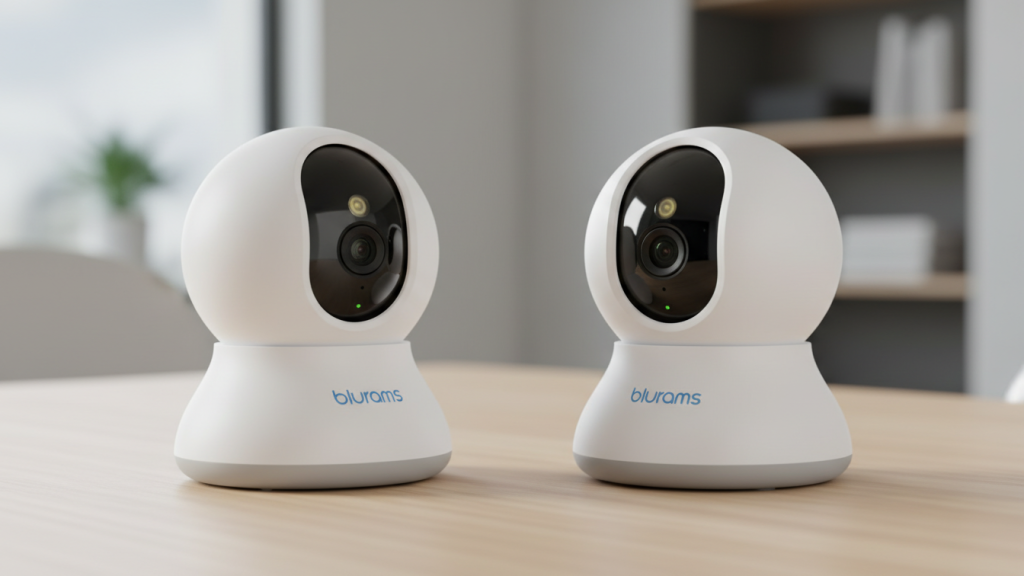
Why it’s good for apartments
This is a practical “daily-use” indoor camera style: 2K + PTZ is a sweet spot for small spaces, especially for pet monitoring or keeping an eye on the living room while you’re out. Human/motion/sound detection can be helpful—but only if you tune alerts properly.
Standout features (as listed)
- 2K video
- 360° PTZ
- Dual-band Wi-Fi 6
- Human/motion/sound detection
- Two-way talk, night vision
- Alexa compatibility
- 2-pack
Pros
- PTZ helps cover a room without needing perfect placement
- Dual-band Wi-Fi can improve stability in busy apartment buildings
- Solid feature mix for pets + general home monitoring
Cons
- If sound detection is turned up, it can trigger too often (TV, neighbors, barking)
- PTZ cameras are great—but they also require thoughtful placement to avoid pointing into private areas
Best for: pet owners and renters who want easy coverage + flexible viewing angles.
4) 2K PTZ Indoor Camera (Dual-Band Wi-Fi, “911 Monitor Alert”, AI Search, Color Night Vision)
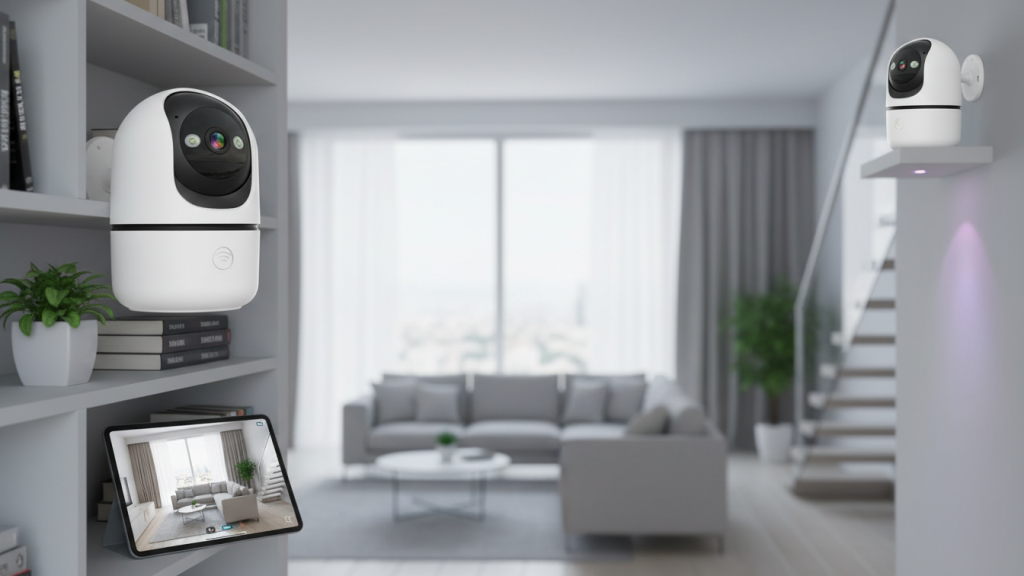
Why it’s good for apartments
This one emphasizes alerting and search features—useful if you want to quickly find “the moment something happened” without scrolling through endless clips. For apartments, the key is setting it up so alerts are meaningful, not constant.
Standout features (as listed)
- 2K video
- 360° PTZ
- Dual-band Wi-Fi (5G & 2.4GHz)
- AI search + motion detection
- Color night vision
- Speaker / two-way audio
- “911 monitor alert” style feature (as described)
- US cloud storage (as described)
- 2-pack
Pros
- Search/AI features can save time if you review footage often
- Color night vision can help with identifying clothing/objects in low light
- PTZ adds flexibility for small apartments
Cons
- Any “emergency/911” feature needs careful reading—understand exactly what it does and what it doesn’t do
- Cloud features can mean subscriptions; check what’s included vs paid
- More “smart” features = more settings to tune to avoid false alerts
Best for: renters who want better event search/review and don’t mind adjusting settings.
Best overall choice for most apartments
If your priority is privacy + easy setup + solid coverage, the Anona 4K PTZ camera with privacy mode is the most apartment-friendly all-around option in this lineup—mainly because privacy mode + PTZ coverage fits how people actually live in smaller spaces.
If you want the most renter-flexible placement (balcony/odd angles) and can manage charging, the battery camera set is the most flexible.
How to cut false alerts fast (apartment-specific)
- Create motion zones that exclude windows, TVs, and ceiling fans.
- Start sensitivity low, raise gradually—most people start too high.
- If your cam supports it, prioritize person detection over general motion.
- Avoid aiming at busy hallways/streets through windows (car lights = constant alerts).
- Place the camera at chest height angled slightly down—better faces, fewer floor/shadow triggers.
Privacy checklist (do this on day one)
- Use privacy mode / schedule for “home hours”
- Turn off microphone recording if you don’t need it
- Enable 2FA on the camera account
- Review who has shared access
- Put the camera where it won’t capture neighbors or shared spaces